Color grading.
Directly in your browser.
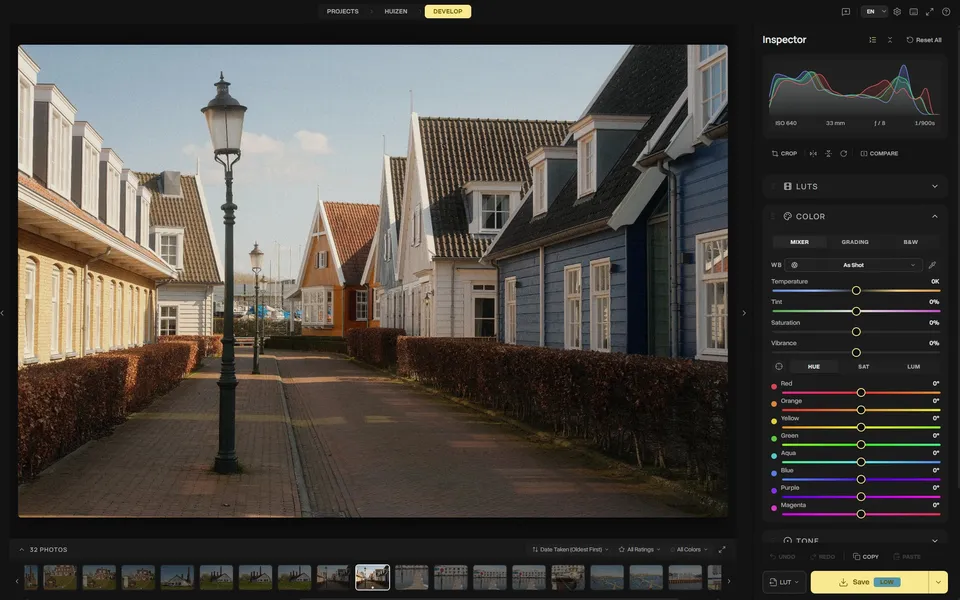
Built for hobby photographers who want full creative control without expensive cloud subscriptions. Edit locally, apply film LUTs, and color grade directly in your browser.
JPG, PNG & RAW (Canon, Nikon, Sony, Fujifilm, Hasselblad & more)
See the difference
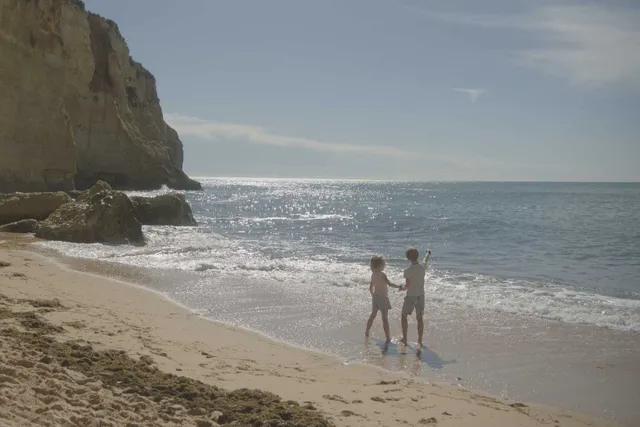

I kept paying for software that did far more than I needed. All I wanted was to crop, straighten, and color grade my photos. So I built exactly that.
Why photographers choose Spectral
100% private
All processing happens on your device. Your photos never leave your browser.
Zero install
Open a URL, start editing. Install as PWA for full offline use.
Export your look
Export grades as .cube LUTs or share recipes as portable JSON.
What to expect from a hobby project
An indie project, not big tech
Spectral is designed and built by one person. There are no call centers or shareholders, just honest, direct responses to your feedback.
Browser RAW processing (and its limits)
Your files stay private while RAW files are decoded locally in your browser. This demands power from your device. For large commercial batches, Lightroom remains standard. Spectral is built for a focused, single-image workflow.
Continuously refined
Every tool in Spectral gets better with each release. Sharpening, noise reduction, and color grading evolve based on real-world use.
Why I built Spectral
I built Spectral out of frustration with expensive subscriptions and tools that force an account just to edit a few pictures. As a hobby photographer, I wanted a focused color grading tool with 3D LUT support that runs entirely in the browser. Your photos never leave your device. All RAW processing, color adjustments, and exports happen locally on your machine. No account required.
Frequently Asked Questions
Everything you need to know about privacy, RAW processing, and color grading in Spectral.
How does Spectral keep my photos private?
All image processing, RAW decoding, and color grading happen directly on your device using your browser. Your photos and edits are never uploaded to any cloud or external server, and Spectral works offline as an installable Progressive Web App (PWA).
Can I import my own 3D LUTs and film presets?
Yes. You can import standard .cube 3D LUT files and apply them instantly to your RAW or JPEG photos. You can adjust LUT intensity and combine looks with curves, HSL controls, and color wheels.
Which RAW camera formats are supported?
Spectral decodes most major camera RAW formats locally, including Sony (.ARW), Canon (.CR2, .CR3), Nikon (.NEF), Fujifilm (.RAF), Panasonic (.RW2), Olympus (.ORF), and Adobe DNG. Medium format files from Hasselblad (.3FR), Phase One (.IIQ), and Mamiya are supported too. Spectral also opens JPEG, WebP, and TIFF files with full EXIF metadata preservation.
Is Spectral a full replacement for Adobe Lightroom?
No. Spectral is not a complex digital asset manager or catalog tool. It is designed specifically for hobby photographers who want fast, distraction-free color grading and film simulation on individual photos without paying monthly subscription fees.
Does Spectral require a subscription or account?
No subscription or account is required. The core color grading tools are immediately accessible in your browser. For advanced tools like batch exports and precision healing, you can purchase a one-time lifetime Pro license.
What are the system requirements to run Spectral?
Spectral runs in any modern desktop or mobile browser with WebGL support, including Chrome, Safari, Edge, and Firefox. Because RAW decoding runs locally, editing performance depends on your device hardware.