Color grading your photos without Lightroom
You don't need an expensive subscription to color grade your photos. Here's how Spectral gives you professional tools directly in your browser.
Color grading your photos without Lightroom
If you’re a hobby photographer, you probably know the feeling of staring at a Lightroom subscription renewal email, wondering if you need to pay every month just to crop a photo and adjust some colors.
I was in the same boat. After years of being a loyal Adobe customer, they decided to raise the subscription price. When I tried to cancel, I actually received a penalty fee for “cancelling too early.” After years of paying. That was the moment I decided to build something different.
What most hobby photographers actually need
Let’s be honest about our workflow. Most of us don’t need 90% of what Lightroom offers. My typical editing session happens in the evening on the couch with some music on. Sometimes it’s one photo from a walk earlier that day. Sometimes it’s fifty from a weekend trip:
- Import a handful of photos from a day out
- Crop and straighten the horizon
- Apply a film look or adjust the overall color tone
- Fine-tune exposure, shadows, and highlights
- Export a JPEG for social media or printing
That’s it. No catalog management across 50,000 images. No complex masking workflows. No syncing across five devices. Just me on the couch with my laptop.
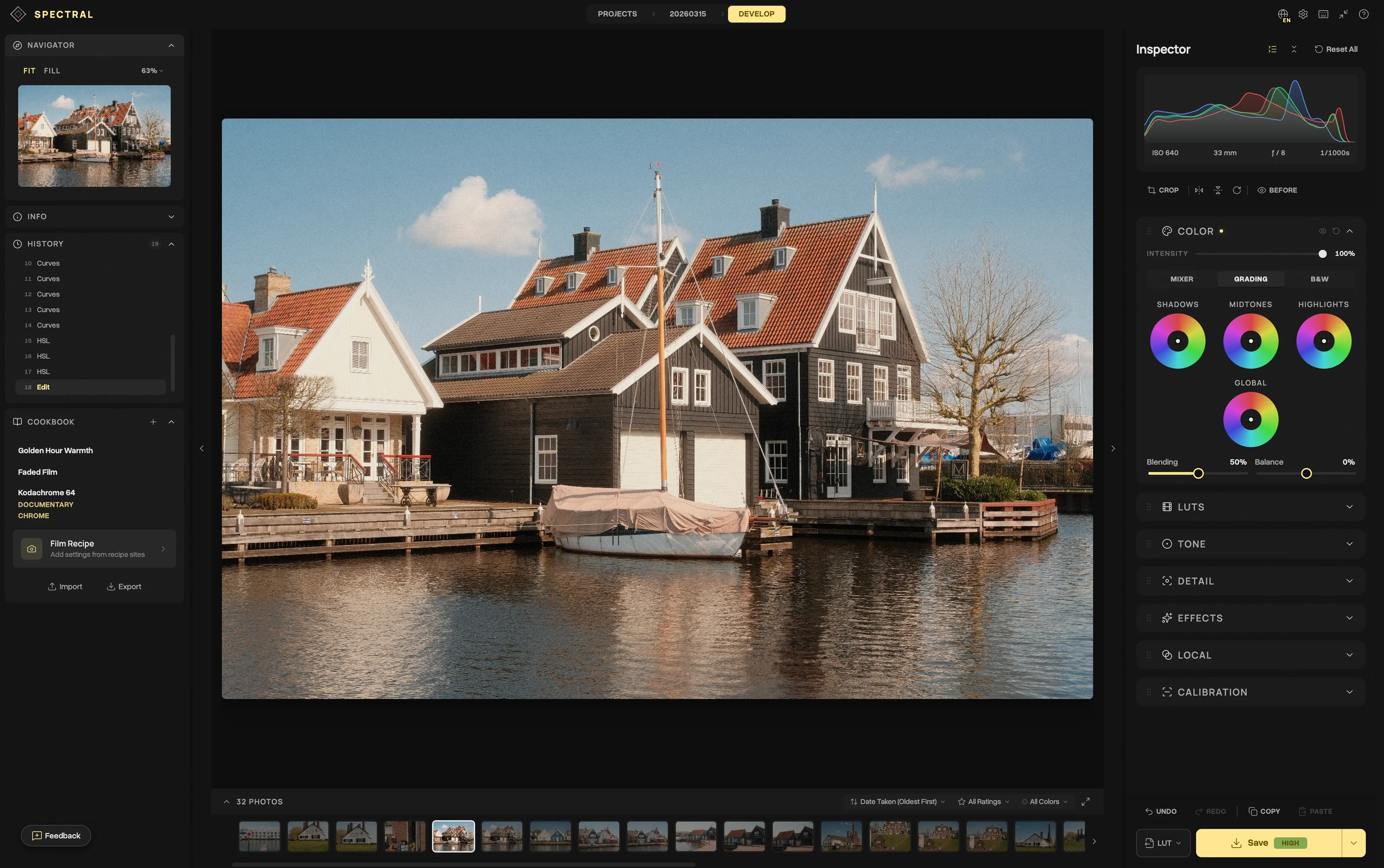
The tools that actually matter
For color grading specifically, a few core tools make the biggest difference:
Tone curves
The most powerful single tool in any photo editor. A well-placed curve adjustment can completely transform the mood of an image. Spectral gives you per-channel RGB curves, so you can create that classic film fade by lifting the blacks on the blue channel.
HSL mixer
Want to shift the blue sky towards teal? Make autumn leaves pop with more orange? The HSL (Hue, Saturation, Luminance) mixer lets you target individual color ranges. This is where film simulations like Fujifilm’s Classic Chrome get their character.
Color wheels
Lift, Gamma, and Gain wheels give you split-toning control similar to what colorists use in video. Push warmth into your shadows and cool tones into your highlights for that cinematic look everyone’s after.
Film LUTs
3D Look-Up Tables are preset color transformations. Spectral ships with 14 built-in presets inspired by classic film stocks, and you can import any .cube LUT file. If you’ve been collecting LUTs from your favorite photographers, they work here too.
Privacy matters
Most photo editing tools upload your photos somewhere, whether to a cloud or someone else’s servers.
With Spectral, your photos never leave your device. Everything runs locally in your browser using WebGL. No uploads, no accounts, and no tracking. When you close the tab, the only trace is what’s stored in your browser’s local database.
Try it yourself
The best way to see if this works for your workflow is to try it. Drop a photo into Spectral to try the free version, and see how far you get in 5 minutes.