Fujifilm film simulations: getting the most from SOOC
Fujifilm's built-in film simulations produce beautiful JPGs straight out of camera. Here's how to take them one step further with targeted color grading.
Fujifilm film simulations: getting the most from SOOC
There’s a reason Fujifilm shooters are different from the rest of the photography world. While most photographers treat the camera as a capture device and do the real work in post, Fuji shooters often prefer to get it right in camera. The built-in film simulations are that good.
I shoot with a Fujifilm X-T4, mostly with either a 33mm f/1.4 prime or the 16-55mm f/2.8 red badge zoom. The combination of that body and those lenses with the right film simulation produces images that rarely need touching.
Classic Chrome, Classic Neg, PRO Neg Hi, Eterna, ACROS. Each one is a carefully calibrated color science profile that gives your photos a distinct character without touching a single slider.
My personal favorite? Classic Neg. It has this nostalgic feel that reminds me of the lo-fi consumer film from the 80s and 90s. Those slightly shifted colors, the warmth in the highlights, the character in the shadows. It’s the simulation I reach for most, and honestly, the results are often perfect straight out of camera.
Why SOOC works (most of the time)
Fujifilm’s film simulations build on decades of film emulsion research, translated into digital color profiles. Classic Chrome, for example, is inspired by Kodachrome, offering slightly muted colors, warm highlights, and deep, controlled shadows.
For most hobby photographers, this means your photos come out of the camera looking great. No editing required.
When you do want to edit
Most of the time means most, not all. I often look at a photo and decide it is finished without any editing. But occasionally, an image needs a minor adjustment. Here are the situations where even SOOC purists reach for an editor:
Horizon straightening
No camera feature can fix a crooked horizon after the fact. This is the number one reason I open an editor.
Exposure correction
Shot slightly overexposed and the highlights are gone? Or underexposed to protect them, and now the shadows need a gentle lift? These are the moments where I’m glad I kept the RAW as a backup. A focused tool like Spectral with a linear or radial gradient can fix most of these issues without re-processing the entire image.
Selective color shifts
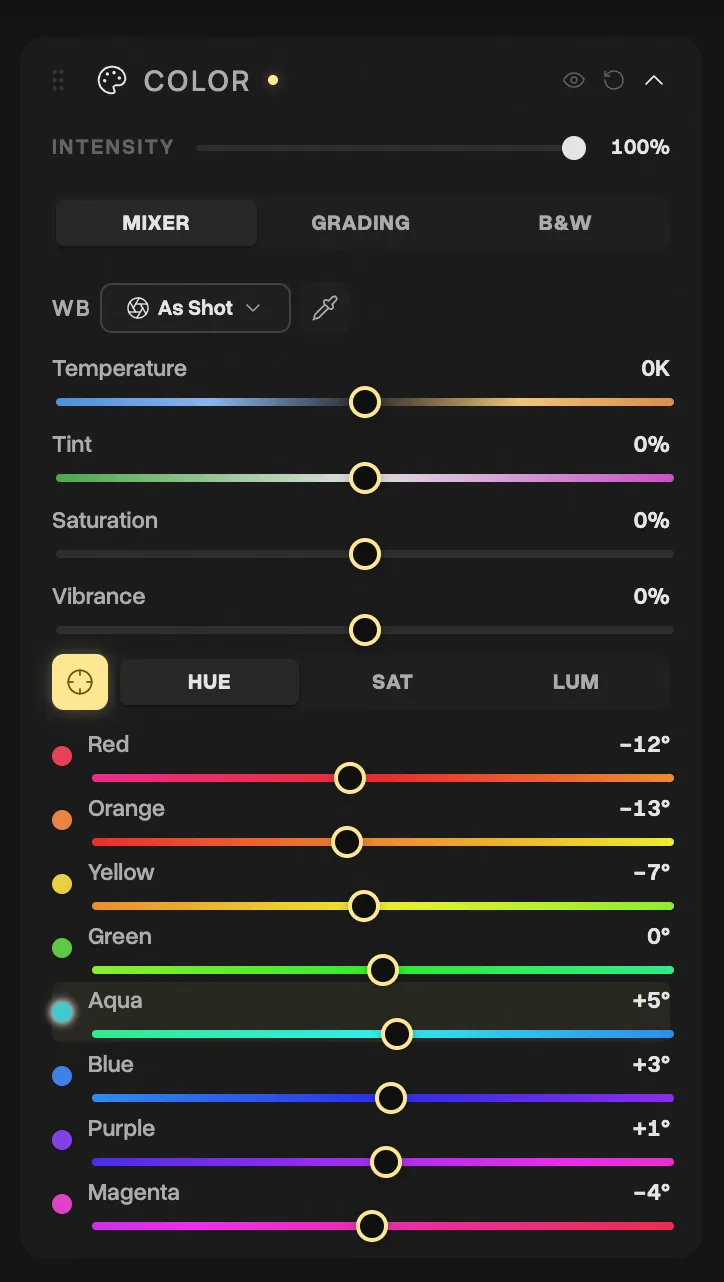
Classic Neg is my go-to for most scenes, but sometimes you want to push the greens more toward teal, or make golden hour even warmer. The HSL mixer lets you do this surgically without affecting the overall simulation.
Adding a gradient
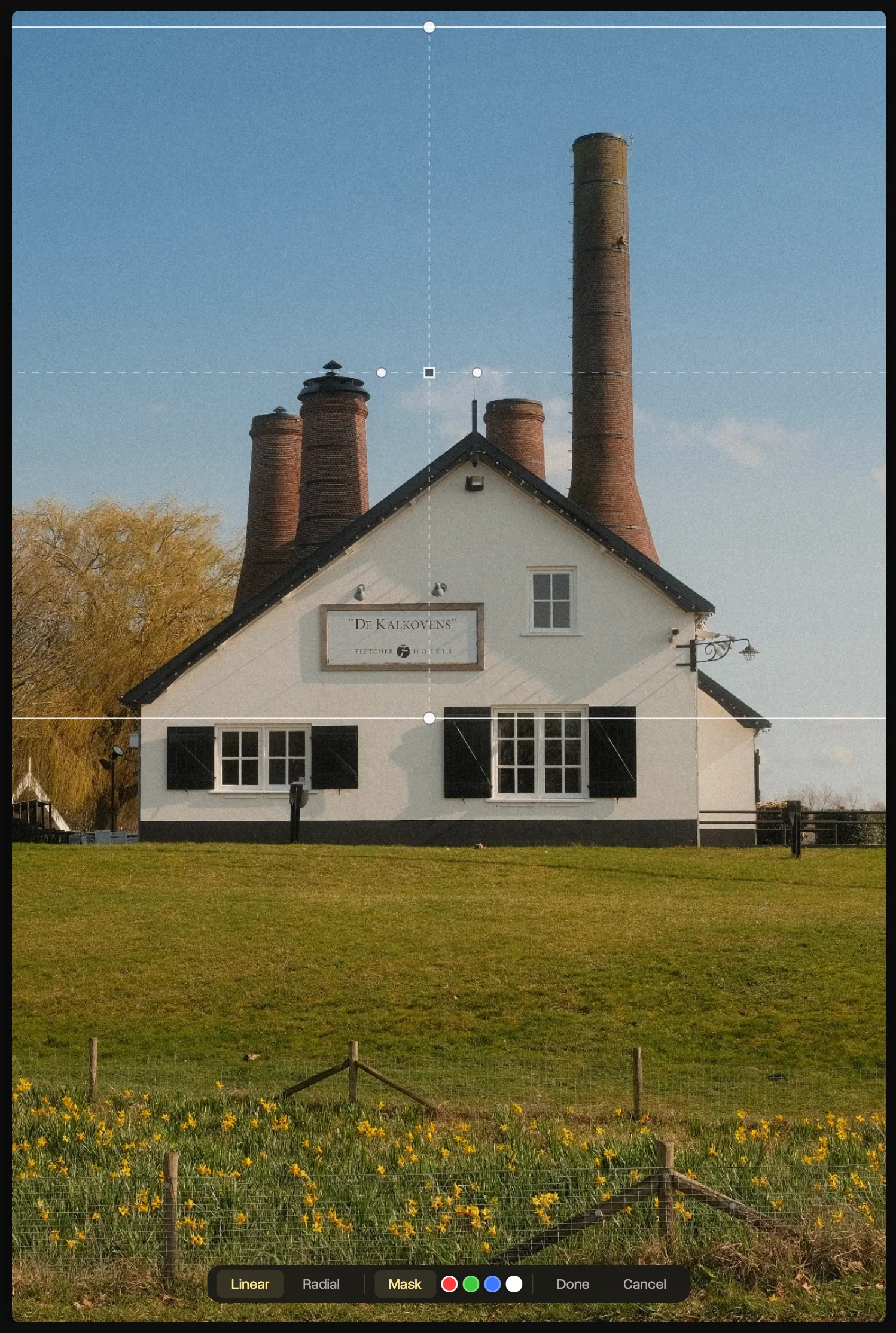
A dark-to-light gradient across the top of the frame can rescue a blown sky without affecting the rest of the image. This is a technique borrowed from landscape photographers who use physical graduated ND filters.
The minimal editing workflow
Here’s what a typical Fujifilm editing session looks like in Spectral:
- Import your JPG (not the RAW, the beautiful SOOC JPG)
- Crop and straighten if needed
- Minor exposure adjustment (+/- 0.3 stops at most)
- Maybe one HSL tweak (shift a specific color range)
- Export
Total time: under 2 minutes per photo. No expensive subscriptions required.
Recipes: taking it further
Rather than building my own presets from scratch, I mostly work with Fujifilm recipes. The photography community has built an active ecosystem of custom combinations using film simulations, grain, color chrome effects, white balance offsets, and tone settings. I find a recipe online, punch in the settings on my X-T4, and shoot.
Spectral’s Cookbook feature works the same way. Grade one photo, save the recipe, apply it to the rest of the batch. If you find a recipe you love, export it as JSON and share it with other Spectral users.
The bottom line
Fujifilm cameras make photos that rarely need editing. But when they do, you don’t need a heavy-duty application. A focused photo editing tool that respects the SOOC philosophy is enough.